Naa College Blog / Programming & AI
From First Program to First Website: A Beginner Web Development Roadmap
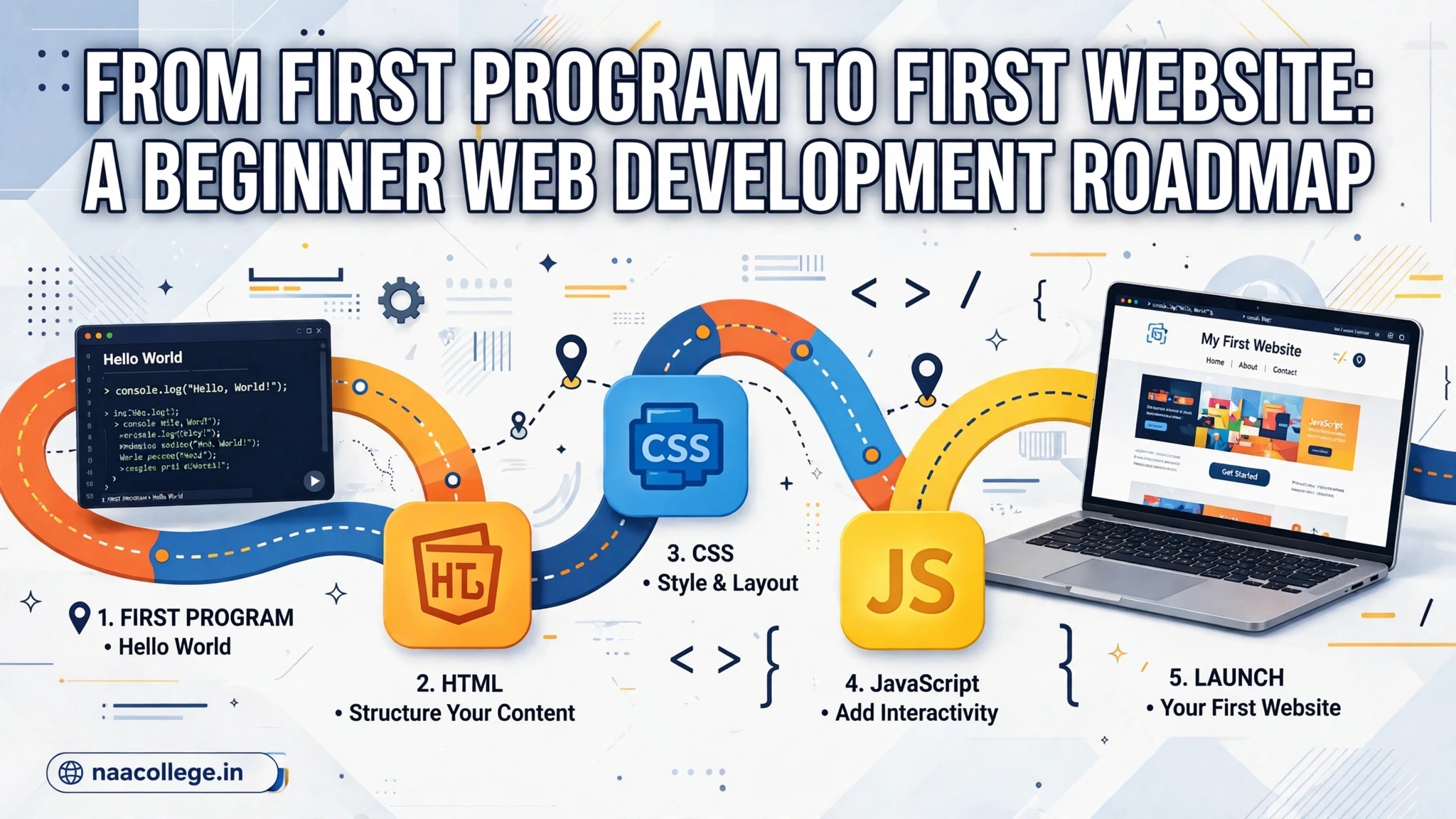
A beginner often sees many course names—Python, Java, C++, HTML, CSS, JavaScript, React, Git and SEO—and assumes all of them must be learned at once. They do not. A clear sequence reduces context switching: first learn programming fundamentals, then the three browser technologies, then Git and deployment, and finally the basic checks that help people discover and use a website. This article brings together the original language-selection, web-development and student-website SEO notes and adds a practical build sequence.
9 min read · By TEAM NAA COLLEGE
A beginner often sees many course names—Python, Java, C++, HTML, CSS, JavaScript, React, Git and SEO—and assumes all of them must be learned at once. They do not. A clear sequence reduces context switching: first learn programming fundamentals, then the three browser technologies, then Git and deployment, and finally the basic checks that help people discover and use a website. This article brings together the original language-selection, web-development and student-website SEO notes and adds a practical build sequence.
Choose one first language and stay with it long enough
Python is often approachable for beginners because its syntax is compact and it is widely used for automation, data work and introductory AI. Java is a strong option when your college curriculum, object-oriented programming subjects or Android/backend interests use it. C++ is useful for understanding memory, performance and competitive-programming patterns. There is no universal best language. Check your syllabus, the projects you want to build and the learning resources you can follow consistently.
Do not spend weeks switching languages because a video claims that one is more powerful. Pick one, learn variables, conditions, loops, functions, arrays or lists, strings and basic debugging. Write small programs without looking at a finished solution. After you can solve simple problems, the concepts transfer to another language much more easily.
Understand what HTML, CSS and JavaScript each do
HTML gives a page its structure and meaning: headings, paragraphs, links, images, forms and lists. CSS controls presentation: layout, spacing, typography, responsive behavior and visual states. JavaScript adds behavior: form validation, interactive controls, data filtering and updates after a user action. A framework can help later, but it does not remove the need to understand these basics.
Build a single page before building a dashboard. Give it a useful heading, a short explanation, a navigation link and a form. Use semantic elements such as header, nav, main, section and footer. Add labels to inputs and ensure the page is usable with a keyboard. Then use CSS to support narrow screens instead of relying on a desktop-only layout.
A first project that teaches the full workflow
A student timetable or assignment tracker is a good beginner project because it has a clear purpose and does not require private data. Start with static HTML. Add CSS so the content can be read on a phone. Add JavaScript to add, edit and filter tasks. Validate empty values and show helpful feedback. Save only non-sensitive demo data in local storage if persistence is needed.
When the basic version works, improve it in small steps: add a search field, empty state, accessible button labels and a simple summary. Do not add authentication, cloud sync, analytics or an AI assistant until the core flow is reliable. Each extra service introduces privacy, security, deployment and maintenance work.
Learn Git and GitHub while the project is small
Git records changes to files. A commit is a named snapshot that lets you review what changed and return to a known state. GitHub hosts repositories and adds collaboration features. Create a repository with a clear name, write a README with the problem, features, setup steps, screenshots and known limitations, and commit changes in meaningful groups.
Keep secrets out of source code. If a project needs an API key, use the deployment platform's environment settings and a server-side function where required. Never publish a private key in a public repository or include real student records in sample data. Before publishing, search the repository for passwords, access tokens and personal information.
Test the page before sharing it
Test the page at a narrow mobile width and a wider desktop width. Use keyboard navigation and verify visible focus. Try blank forms, very long text, duplicate entries and invalid values. Resize images and make sure important content is not clipped. If the page uses a public dataset, show the source and the date or year represented by the data.
Check that every link works and that buttons have a real action. A polished button that does nothing is still a broken feature. Add an error message for failed operations and avoid promising that a browser tool supports every file or browser. Record the browsers and file types you tested.
Basic SEO is part of usability
Every important page should have a clear, unique title and a concise description. Use one main heading that explains the page. Link to related pages with descriptive anchor text. Keep important text visible in the initial page content instead of hiding every explanation behind tabs or interaction. Use descriptive image alternatives when an image conveys information.
Search optimisation does not mean repeating keywords or creating many nearly identical pages. A useful guide should answer a real student question, show examples and link to the tool or source that helps the reader take the next step. Keep the page current when its topic changes. If a route no longer exists, redirect it to the closest replacement or return a real not-found response rather than showing a misleading success page.
A six-stage learning sequence
- Programming basics: variables, conditions, loops, functions and debugging.
- HTML: document structure, semantic elements, links, forms and images.
- CSS: box model, flexbox, grid, responsive layouts and focus states.
- JavaScript: DOM updates, events, arrays, objects, validation and fetch basics.
- GitHub: commits, branches, README, issues and safe collaboration.
- Deployment and quality: build, test, publish, verify links and document limitations.
A realistic first milestone is one working website with a clear README—not a collection of ten unfinished tutorials. Official learning references: MDN Learn Web Development, MDN Your First Website, the Python Tutorial and Dev.java learning resources.
Python vs Java vs C++: మొదట ఏ Programming Language నేర్చుకోవాలి?
"మొదట ఏ language నేర్చుకోవాలి?" అనేది beginners అడిగే అతి సాధారణ ప్రశ్న. సమాధానం మీ లక్ష్యం మీద ఆధారపడి ఉంటుంది.
మూడు languages పోలిక
- Python: Syntax సులభం. Scripting, data, AI/ML, automation లో ఎక్కువగా వాడతారు. Beginners కి మంచి ఎంపిక కావచ్చు.
- Java: Object-Oriented Programming బలంగా నేర్చుకోవడానికి, backend మరియు enterprise applications లో వాడతారు. Syntax కొంచెం ఎక్కువ రాయాల్సి ఉంటుంది.
- C++: Performance మరియు memory పై ఎక్కువ నియంత్రణ ఉంటుంది. Competitive programming, systems, games లో వాడతారు. నేర్చుకోవడం కొంచెం కష్టం కావచ్చు.
ఎలా ఎంచుకోవాలి?
- మీ college syllabus లో ఏ language ఉందో చూడండి.
- మీ లక్ష్యం (AI, web, placements, competitive coding) ఏమిటో ఆలోచించండి.
- ఒక language ఎంచుకుని కనీసం కొన్ని నెలలు దానితోనే practice చేయండి.
ఉదాహరణకు, AI వైపు వెళ్లాలంటే Python; college లో C ఉంటే దానితో logic బలపరచుకుని, తర్వాత Python లేదా Java నేర్చుకోవచ్చు. ఇవి సాధారణ సూచనలు మాత్రమే, ఒకే సరైన దారి కాదు.
తరచుగా జరిగే తప్పులు
- ఒకేసారి మూడు languages నేర్చుకోవడం.
- Language మీద చర్చలతో సమయం వృథా చేయడం.
- Projects చేయకుండా syntax మాత్రమే నేర్చుకోవడం.
తరచుగా అడిగే ప్రశ్నలు (FAQs)
ఒక language నేర్చుకున్నాక ఇంకోటి సులభమా?
Programming logic ఒకేలా ఉంటుంది కాబట్టి సాధారణంగా సులభమవుతుంది.
తర్వాత ఏమి చేయాలి?
Programming roadmap చూడండి.
Language ఎంచుకున్న తర్వాత practice ఎలా చేయాలి?
మొదట variables, conditions, loops, functions, collections వంటి fundamentals నేర్చుకుని ప్రతి concept మీద చిన్న program రాయండి. తర్వాత calculator, marks analyser లేదా simple quiz వంటి project ఎంచుకుని input validation, error handling చేర్చండి. ఒకే problem ని వెంటనే మరో language లో rewrite చేయాల్సిన అవసరం లేదు; మొదట logic ని అర్థం చేసుకుని test cases తో check చేయండి. College syllabus కోసం ఒక language అవసరమైతే దానితో academic basics బలపరచండి, తర్వాత మీ career interest కి సరిపోయే language నేర్చుకోండి. Language పేరు కంటే మీరు స్వయంగా problem solve చేయడం, code explain చేయడం ముఖ్యం.
HTML, CSS, JavaScript: Web Development Roadmap for Beginners
Website తయారు చేయడానికి మూడు ప్రాథమిక technologies ఉన్నాయి: HTML, CSS, JavaScript.
మూడూ ఏమి చేస్తాయి?
- HTML: పేజీ నిర్మాణం (headings, paragraphs, links, images, forms).
- CSS: రంగులు, layout, spacing, responsive design.
- JavaScript: buttons, forms, calculations వంటి interactions.
ఇంటితో పోల్చితే HTML గోడలు, CSS రంగులు మరియు అలంకరణ, JavaScript లైట్లు మరియు స్విచ్లు లాంటివి.
Roadmap
- HTML: semantic tags, links, images, forms నేర్చుకోండి.
- CSS: box model, Flexbox, Grid, media queries ప్రయత్నించండి.
- JavaScript: variables, functions, DOM, events నేర్చుకోండి.
- ఒక చిన్న project: portfolio పేజీ లేదా to-do app తయారు చేయండి.
- Git మరియు GitHub: మీ project ను upload చేయండి. GitHub portfolio guide చూడండి.
Responsive మరియు Testing
మీ పేజీ ఫోన్, laptop రెండింటిలోనూ బాగా కనిపిస్తోందో browser developer tools తో చూడండి. Forms, buttons పని చేస్తున్నాయో వేర్వేరు browsers లో test చేయండి.
తరచుగా జరిగే తప్పులు
- JavaScript ను చాలా త్వరగా frameworks కోసం వదిలేయడం.
- Mobile layout ను పట్టించుకోకపోవడం.
- Errors ను console లో చదవకపోవడం.
తరచుగా అడిగే ప్రశ్నలు (FAQs)
Framework ఎప్పుడు నేర్చుకోవాలి?
JavaScript basics మరియు కొన్ని చిన్న projects తర్వాత.
AI తో website చేయవచ్చా?
చేయవచ్చు, కానీ code ను అర్థం చేసుకుని test చేయండి. Vibe coding guide చూడండి.
మొదటి project ని ఎలా నిర్మించాలి?
ఒక simple student portfolio లేదా study planner తో ప్రారంభించండి. HTML లో sections, headings, forms ని semantic గా అమర్చండి; CSS తో spacing, contrast, mobile layout సరిచేయండి; JavaScript తో ఒక చిన్న interaction మాత్రమే మొదట చేర్చండి. ప్రతి change తర్వాత page ని desktop మరియు phone size లో పరీక్షించండి. Buttons కి పని ఉండాలి, links సరైన పేజీలకు వెళ్లాలి, forms తప్పు input ని స్పష్టంగా చూపాలి. Project పూర్తయ్యాక README లో features, run చేసే steps, తెలిసిన పరిమితులు రాసి GitHub లో పెట్టండి. Framework కి వెళ్లే ముందు ఈ మూడు technologies తో మీరు ఒక చిన్న page ని స్వయంగా build చేయగలిగేలా practice చేయండి.
Student Websites కోసం SEO Basics: Google Search లో కనిపించడానికి Checklist
SEO (Search Engine Optimization) అంటే మీ website ను Google వంటి search engines అర్థం చేసుకుని, ఉపయోగపడే ఫలితాలుగా చూపించేందుకు సహాయపడే పద్ధతులు. ఇందులో షార్ట్కట్లు లేవు; ఉపయోగకరమైన content అత్యంత ముఖ్యం.
Checklist
- Unique titles: ప్రతి పేజీకి దాని విషయాన్ని చెప్పే ప్రత్యేకమైన title పెట్టండి.
- Meta descriptions: పేజీ ఏమి ఇస్తుందో స్పష్టంగా రాయండి.
- Useful content: నిజంగా ఉపయోగపడే, సొంతంగా రాసిన, ఖచ్చితమైన సమాచారం ఇవ్వండి.
- Crawlable links: సాధారణ లింకులతో పేజీలను అనుసంధానించండి.
- Canonical URL: ఒకే content కు ఒకే ప్రధాన URL ఉండేలా చూసుకోండి.
- Mobile friendly: ఫోన్ లో బాగా కనిపించాలి.
- Structured data: వాడితే అది పేజీలోని నిజమైన content కు సరిపోవాలి.
- Sitemap మరియు robots: తప్పుగా blocking లేదని చూడండి.
తరచుగా జరిగే తప్పులు
- అన్ని పేజీలకు ఒకే title లేదా description.
- Keywords ను అనవసరంగా నింపడం (keyword stuffing).
- కాపీ చేసిన లేదా ఖాళీ పేజీలు.
- వెబ్సైట్ ను మెరుగుపరచకుండా కేవలం పేజీల సంఖ్యను పెంచడం.
తరచుగా అడిగే ప్రశ్నలు (FAQs)
SEO తో వెంటనే ర్యాంక్ వస్తుందా?
లేదు. ఫలితాలకు సమయం పడుతుంది మరియు హామీ లేదు.
మంచి projects కోసం?
GitHub portfolio guide చూడండి.
Search performance ని ఎలా పరిశీలించాలి?
కొన్ని రోజులు లేదా వారాల వ్యవధిలోనే పెద్ద traffic వస్తుందని ఆశించకండి. Search Console వంటి monitoring tools లో ఏ pages index అయ్యాయి, ఏ queries ద్వారా impressions వచ్చాయి, ఏ links పనిచేయడం లేదో చూడండి. ఒక page కి traffic తక్కువగా ఉంటే వెంటనే keywords మార్చడం కంటే title స్పష్టత, content usefulness, mobile usability, internal navigation వంటి అంశాలను ఒక్కొక్కటిగా మెరుగుపరచండి. Site లోని ప్రతి page కి ప్రత్యేకమైన purpose ఉండాలి; ఒకే విషయాన్ని కొద్దిగా మార్చి అనేక pages చేయడం కంటే ఒక బలమైన guide తయారు చేయడం మంచిది. Ranking కంటే ముందుగా పాఠకుడికి సమస్య పరిష్కారం అవుతోందా అనే దానిపై దృష్టి పెట్టండి. Analytics లో వచ్చిన ప్రతి సంఖ్యను context తో చూడండి; చిన్న sample ఆధారంగా పెద్ద నిర్ణయాలు తీసుకోవద్దు. Content update చేసిన తేదీ, చేసిన మార్పులు note చేసుకుంటే ఏ improvement ఉపయోగపడిందో అర్థం చేసుకోవచ్చు.
Educational information only. Verify time-sensitive details with the relevant official authority or product documentation.